Home
Tools
Fennara uses tools so the model can work against your real Godot project instead of guessing from chat text.
The goal is simple: when Fennara reads, writes, or edits a scene, it should get immediate feedback from Godot and the project itself.
Tool philosophy
LLMs are strongest when they can write code, inspect the result, fix the exact error, and try again.
Fennara's tools are built around that loop. The model can inspect files and scenes, make targeted changes, run diagnostics, and use the results to correct itself before handing the work back to you.
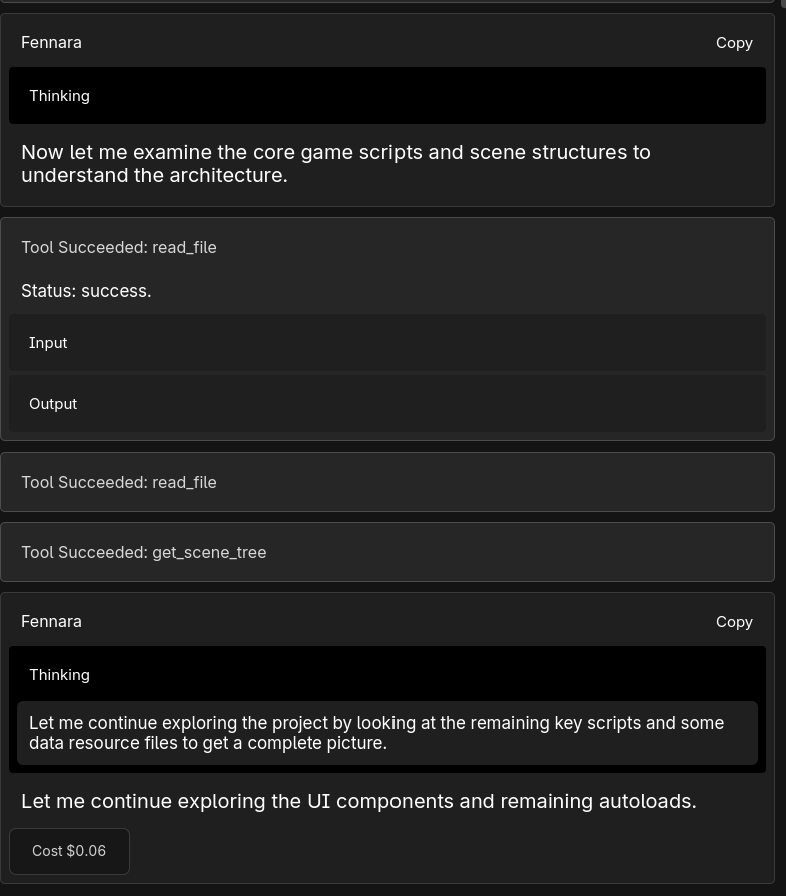
That is different from waiting for a broken script to show up later in output logs. For GDScript, Fennara can use Godot's language server directly, so syntax and type issues come back as structured diagnostics.
Tool cards
When Fennara uses a tool, the chat shows a tool card.
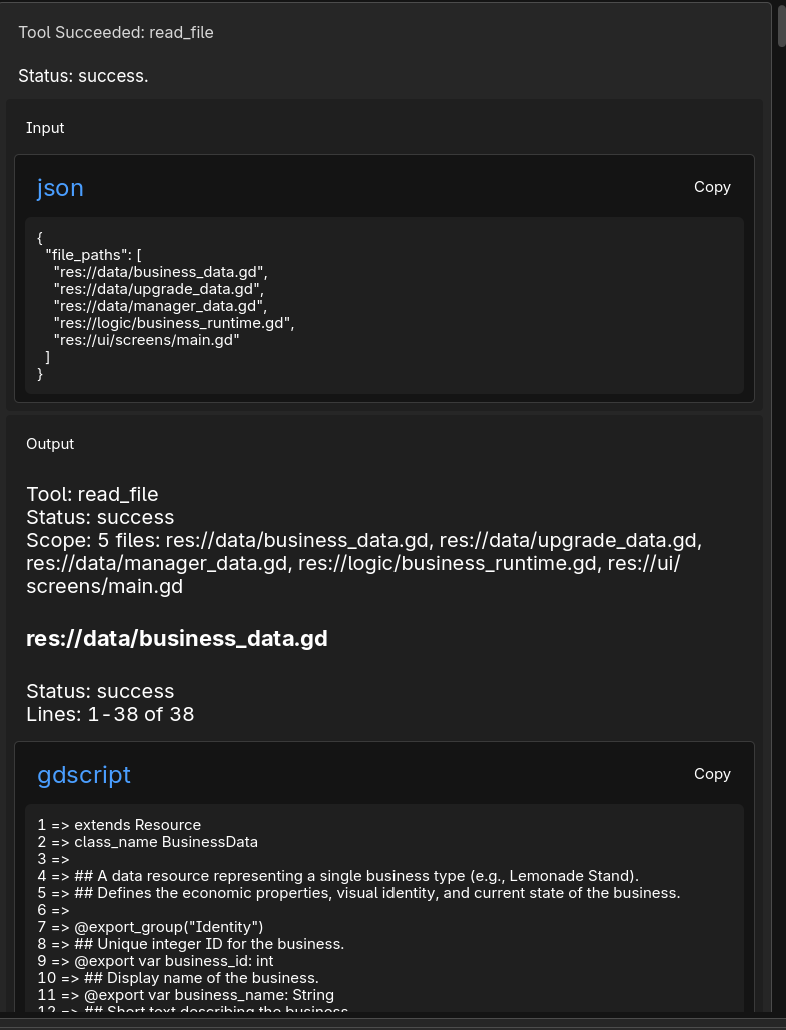
Tool cards let you see what happened without reading every raw detail. You can expand a card to inspect the input and output when needed.
Writing scripts
When Fennara writes or updates a .gd file, it validates the script with Godot's GDScript language server.
That means Fennara can see syntax errors, type issues, warnings, hints, and file-specific diagnostics immediately after the write. If something is wrong, it can patch the same file instead of guessing from memory.
This is also why script edits are usually safer than plain text replacement alone: the write is followed by real Godot feedback.
Scene editing
For scene changes, Fennara can run a one-off scene edit script.
This gives the model the flexibility of GDScript while still working through Godot's scene and resource APIs. It can load a scene, inspect nodes, change properties, add or remove children, edit scene-owned resources, log what it found, and save the scene.
Before the script runs, Fennara validates the worker script with the GDScript language server. If the script has errors, the scene edit does not run.
For newly created raw nodes, the scene edit context marks nodes as owned so Godot serializes them. For instanced subscenes, Fennara provides a dedicated helper that preserves the PackedScene instance instead of flattening or duplicating its internal children.
After scene edits, Fennara can validate the scene for common break points: missing scripts or resources, invalid NodePaths, unset exported values, duplicate sibling names, script/class mismatches, cyclic scene dependencies, node configuration warnings, and engine warnings emitted while loading the scene.
Diagnostics
Diagnostics are also available as standalone tools.
Fennara can check specific GDScript files, scan the project for script diagnostics, or validate specific scenes after edits. Use this when you want it to investigate errors, broken scenes, missing references, or suspicious warnings without necessarily changing anything.
SemanticSearch
SemanticSearch helps Fennara find relevant project code in larger Godot projects.
Instead of reading every file on every request, Fennara can search the indexed project for matching logic, signals, variables, resources, UI scripts, and likely bug locations. This makes it much easier to work in projects where the important code is spread across many files.
SemanticSearch is available during an active 14-day trial or with Fennara Pro. It is available in both the Godot plugin chat and MCP as semantic_search.
Indexing may take time after first setup or after larger project changes. Once ready, it gives Fennara a better starting point before it reads or edits files.
Indexing and SemanticSearch-related requests appear under the Indexing agent on the Usage page.
MCP also exposes search_shaders for shader examples. Fennara MCP still does not expose broad filesystem tools like read_file; MCP apps can use their own file/search tools for normal file access.
Class information
Godot APIs are easy to misremember. Fennara can inspect a Godot class before writing scene edit code.
Class information includes the API surface the model needs for safer edits: properties, methods, signals, enums, constants, tutorials, parent classes, and direct child classes.
This matters most before scene editing. If Fennara needs to use a native Godot method or property, it can look up the real API instead of inventing one.
Node properties
Fennara can inspect the changed properties of specific nodes in a scene.
This is especially useful when a node has attached scripts, exported properties, nested resources, theme overrides, materials, TileSet data, Animation resources, SpriteFrames, MeshLibrary data, or other deep configuration.
The point is not just to know that a node exists. The point is to show the model the configuration that actually matters for editing that node safely.
Scene tree and screenshots
Fennara can inspect the scene tree to find node paths and understand structure before editing.
It can also capture scene screenshots when visual context matters. Screenshots are useful for layout issues, visual bugs, and checking what a scene looks like without relying only on text.
Screenshots work for both 2D and 3D scenes, so Fennara can reason about space visually instead of only reading node names and properties. That lets the model move through the scene context much closer to how you would inspect it manually in Godot.
File and project tools
Fennara can read project files, create or update files, move or delete files, save custom resources, and change supported project settings.
These tools are scoped to the project and avoid protected plugin/internal paths. For last-turn rollback, use Revert. For larger checkpoints, use Git.