Home
Context Compaction
Context compaction helps long plugin chats keep going when the conversation becomes too large.
It keeps recent work exact, summarizes older context for the model, and shows a small status card in the chat when it happens.
What it does
As a conversation grows, the full chat can eventually become too large to send to the selected model every time.
When that happens, Fennara can summarize older turns into a compact summary and use that summary as context for the next request. Recent messages stay available in full so the model can still follow the active task.
The chat itself is not deleted. You can still see the conversation in the dock and in History. Compaction changes what Fennara sends back to the model, not whether your old messages exist.
The compaction card
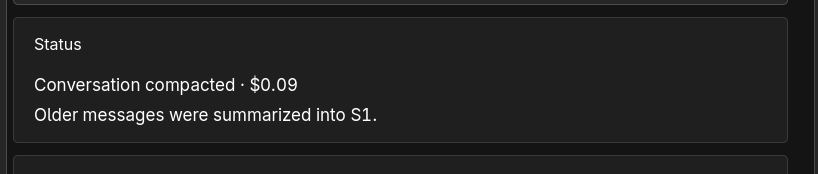
When compaction runs, you may see a Status card like:
Conversation compacted · $0.09
Older messages were summarized into S1.
The cost is the model cost for creating the summary. On the Usage page, this appears under the Summary agent.
S1 means "summary 1". If the conversation keeps growing, Fennara may create later summaries as needed.
What to expect
After compaction, the next request should continue normally. You do not need to start a new chat or copy anything over.
Compaction is most noticeable in very long sessions with many tool calls, large file reads, scene inspections, diagnostics, or repeated edits.
If the chat is still too large for the selected model, switch to a model with a larger context window from Models.
Revert and compaction
If you press Revert on a turn that created a compaction summary, Fennara invalidates that summary too.
After that, the next request uses the full available chat again until the conversation needs compaction another time. For file rollback details, see Revert.
Where it applies
Context compaction applies to the Fennara Godot plugin chat and is available during an active trial or with Fennara Pro. External MCP clients manage their own chat context.